Do you want to run this 4G trail camera with the Modernhunter SIM card? This guide takes you safely through the setup: first you check whether you have the right 4.0CG in front of you (two antennas, without “Pro”), then you flash our firmware – after that the camera is ready to go.
Reading timeapprox. 6 min
DifficultyEasy
Only for4.0CG without “Pro”
As ofJuly 2026
What this is about
The 4.0CG – many names.
The Chinese manufacturer calls this 4G model the 4.0CG. It is especially widespread and is sold under a wide range of brand names – the hardware, menu and firmware are identical; only the label on the housing is different.
For the 4.0CG, Modernhunter offers its own firmware: all the required access data is already stored in it. Instead of laboriously typing it in on the small display, the camera is preconfigured for the Modernhunter SIM card as soon as the firmware is flashed.
!
For the 4.0CG model only (without “Pro”)
This firmware is intended exclusively for the 4.0CG camera and may only be flashed onto this model. On other models – in particular the Pro version – the camera can be permanently damaged. Before flashing, therefore always make sure you have the right 4.0CG in front of you. Flashing is done at your own risk.
The manufacturer makes several models that look almost identical on the outside. You can tell whether you have the right 4.0CG in front of you by two simple features.
Identify it on the housing
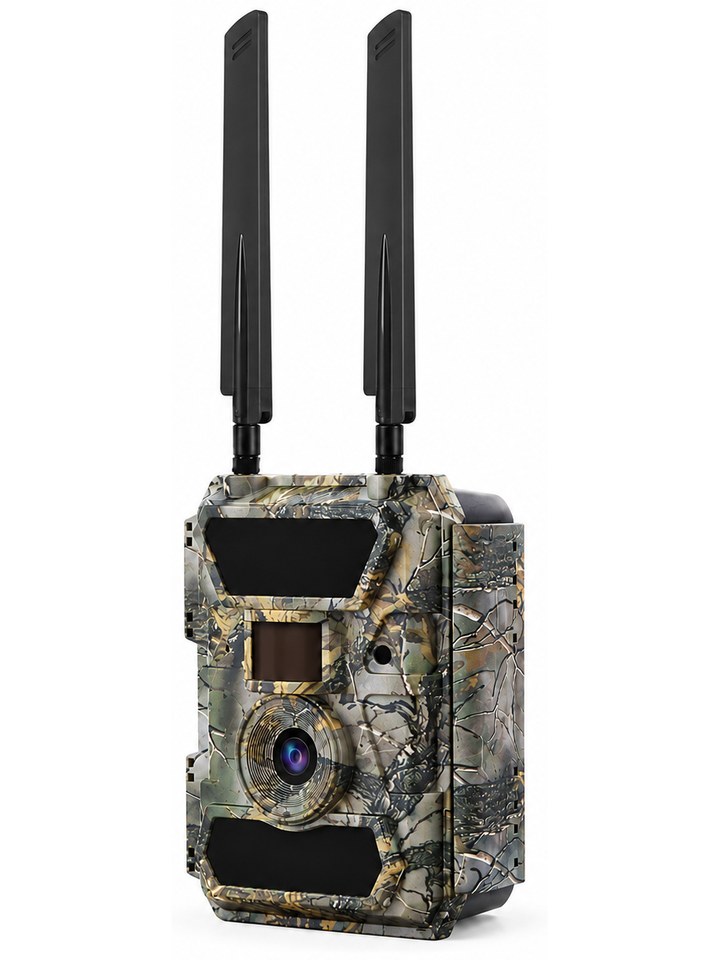
Two antennas, no “Pro”.
The most reliable check – no menu needed.
The camera must have two antennas.
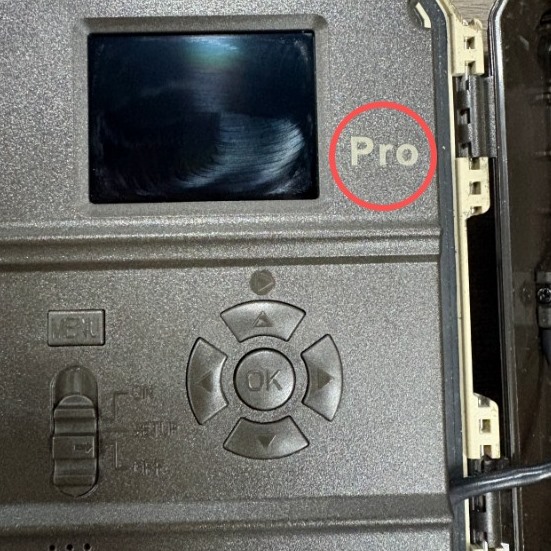
Open up the camera and look at the area to the right of the display.
✓If nothing is printed there, it is the right camera – the firmware is allowed.
✕If it says “Pro”, it is the Pro version – the firmware must not be flashed.
Wrong camera: “Pro” to the right of the display – do not flash the firmware
i
Not sure whether it is the right 4.0CG?
Send us a photo of the opened camera (the area to the right of the display) – we will confirm whether the firmware is suitable. If you are unsure, do not flash it.
Preparation
What you need.
Before you flash the software, get everything ready and ensure a reliable power supply.
Requirements
a trail camera of the 4.0CG model (verified in Part 1)
the Modernhunter firmware (download above: SPHOST.BRN + SPHOST.CFG)
an SD card and a card reader
a power adapter or fully charged batteries
an active Modernhunter SIM card
a Modernhunter account
!
Secure the power supply
Never flash the software with a low battery, and do not switch the camera off while it is running. If the power supply fails during the update, the camera can be permanently damaged. Use a power adapter or fully charged batteries (100%).
SD card & camera menu
Update via SD card.
You will find the two files in the download above.
Format the SD card on your computer so that no old files interfere with the update.
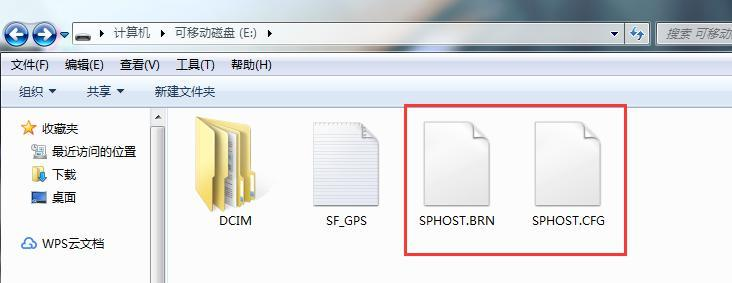
Copy the two files SPHOST.BRN and SPHOST.CFG into the root directory of the SD card – not into a subfolder. Do not change the file names.Both files into the root directory – do not change the names
Insert the SD card into the camera and set the switch to SETUP.
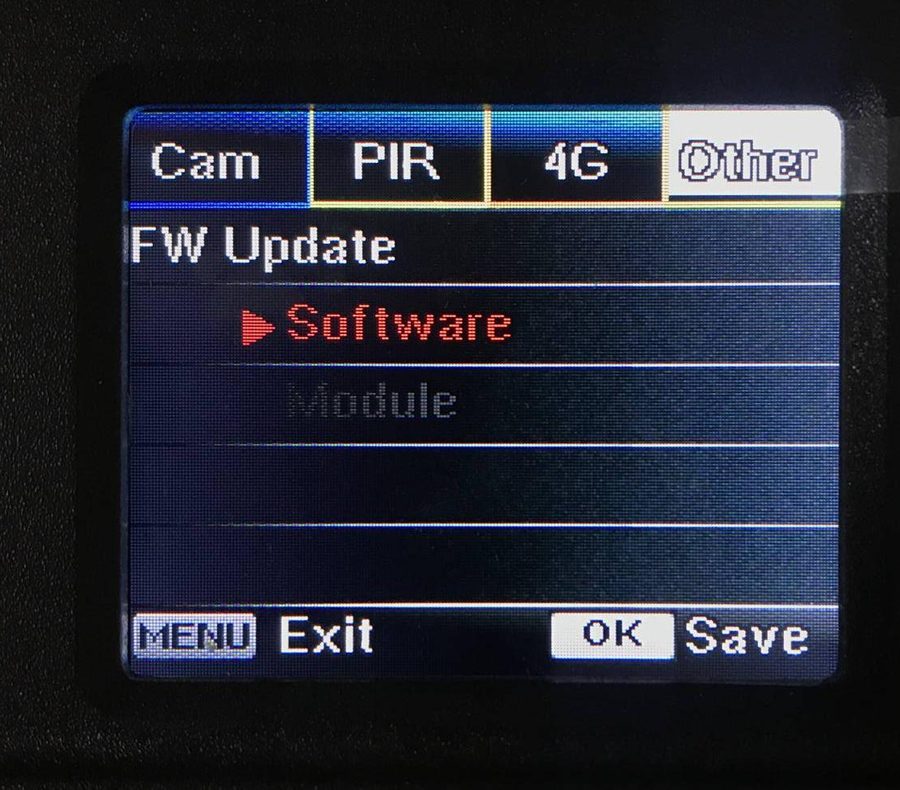
In the menu, select Other → FW Update → Software and confirm with OK.Other → FW Update → Software → OK
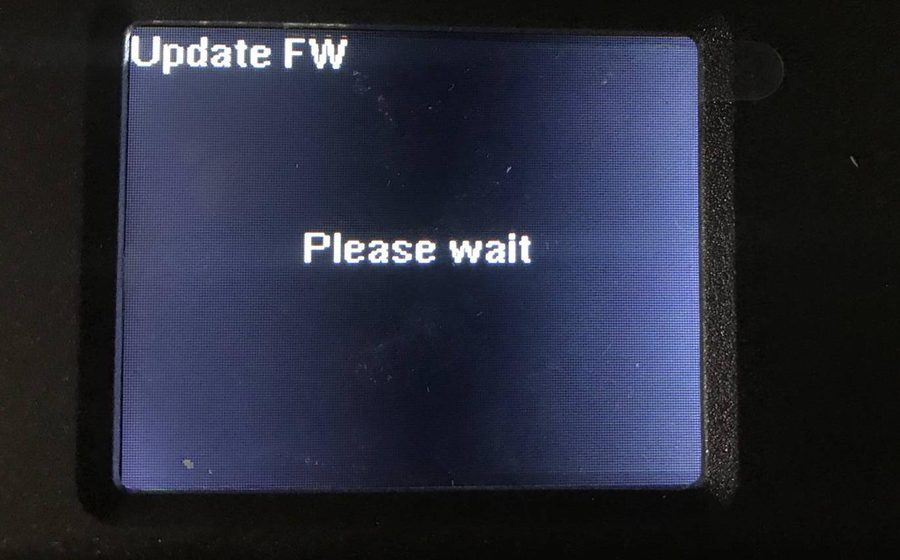
Wait about 1–2 minutes – the camera shows “Please wait” and updates by itself. No further action is needed.Wait 1–2 minutes – do not switch off
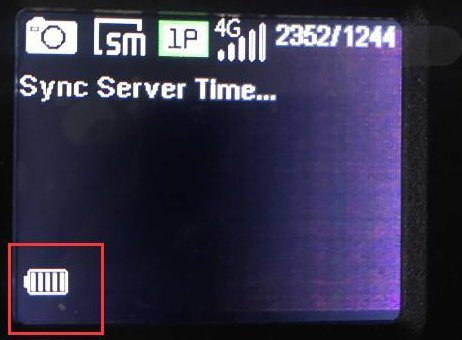
After it is finished, the camera automatically returns to the home screen – the software is flashed.Back on the home screen – done
i
Camera won’t start or forgotten the password?
If the camera no longer starts or you have forgotten the password: put the files onto the SD card as described above, press and hold the UP button and set the switch to SETUP. The update then starts automatically – keep the button held down until it is finished.
Modernhunter account
Store the address.
This address is unique to each camera.
Add a new camera in the Modernhunter app or the portal.
Note down or copy the individual email address that is generated – it is the recipient of your captures.
In the camera menu, enter this address under Send To → Email and save it.
Reference
The stored SIM values.
The software applies these values automatically. If, in exceptional cases, they have to be checked or entered by hand, the following data applies:
Setting
Value
APN
mhsim
User
leave empty
Password (APN)
leave empty
Sender
hunter@mh-cam.de
Account
hunter@mh-cam.de
Password
hunter
SMTP server
mx0.mh-cam.de
SMTP port
25 (without SSL)
Recipient email
generated in Modernhunter when adding the camera
!
Only to the Modernhunter server
The Modernhunter SIM card sends exclusively to the Modernhunter server. As the recipient, therefore always enter the address generated in Modernhunter – not a private or external address.
With this short procedure you make sure that your captures arrive reliably in your Modernhunter account.
If nothing arrives – check
Is the Modernhunter SIM added to your account? Only then is it activated in the system and ready to use.
Is the Modernhunter SIM inserted correctly and are the antennas fitted?
Was exactly the address generated in Modernhunter entered under Send To → Email?
Does the camera offer SMTP or FTP at all? Without that, it is not suitable.
Is the APN mhsim stored (user and password empty)?
Does the camera have sufficient mobile reception at its location?
Switch the camera to operating mode and trigger a test capture.
Wait a moment until the camera has transferred the image.
Check in your Modernhunter account whether the capture has arrived.
If nothing arrives, work through the checklist – especially the exact spelling of the recipient address.
Done
Flashed – ready to go.
Your 4.0CG now runs on the Modernhunter firmware and is preconfigured for the Modernhunter SIM card. From now on, it automatically sends its captures to your Modernhunter account – together with those of your other cameras, in a single system regardless of manufacturer. And should you want to use the camera with a different SIM later on: the APN can be overwritten at any time – the 4.0CG stays SIM-lock-free.
Set up your 4.0CG trail camera for the Modernhunter SIM card · Ratgeber - Modernhunter